
macOS window navigation
WindowPilot
Switch windows by sight, not memory.
Why it exists
Recognition over recall
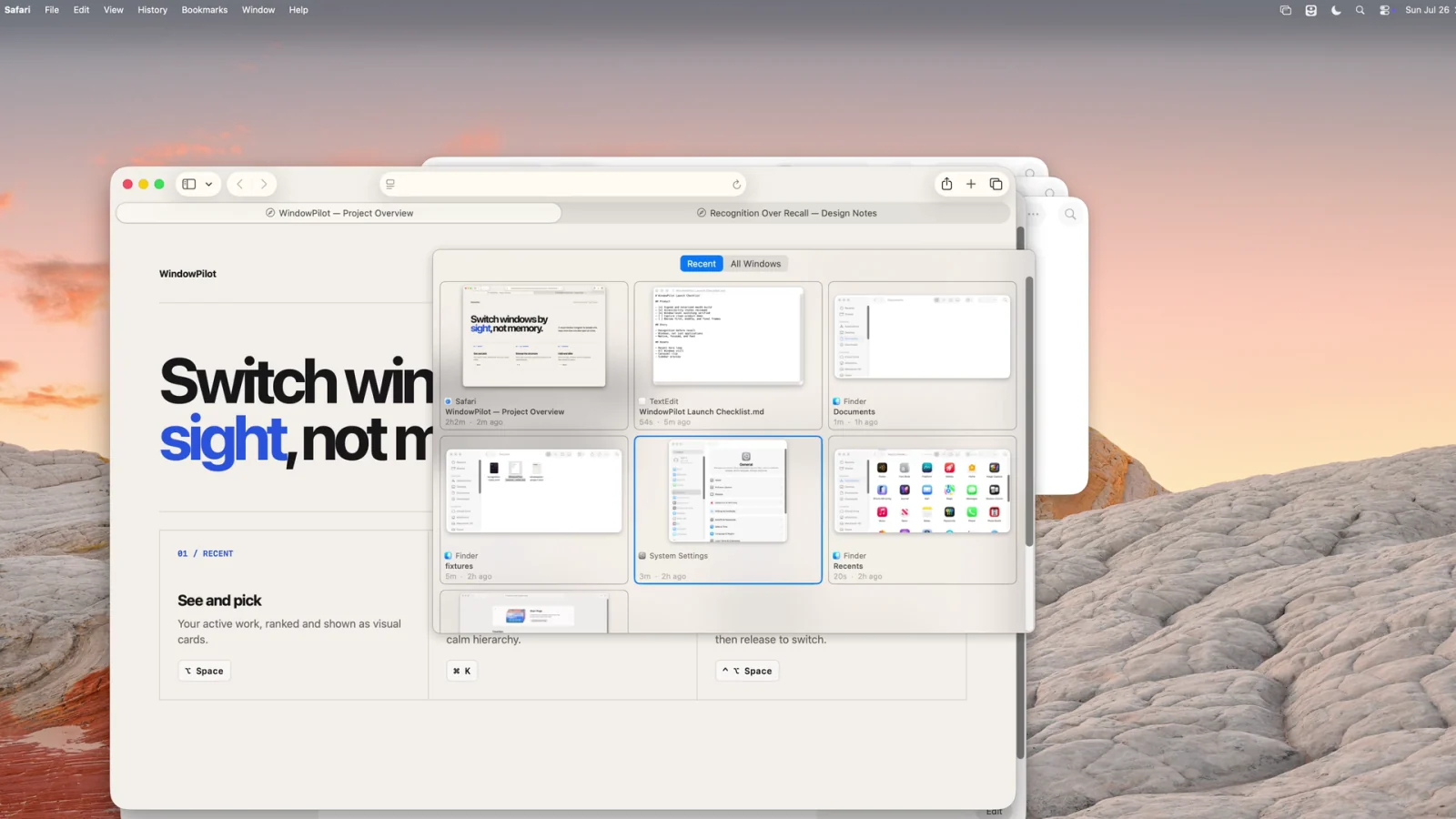
“I know it when I see it” is a product requirement, not a failure of memory. WindowPilot shows the real windows first, then lets the person choose, shortening the distance from intent to decision.
WindowPilot is a visual window navigator for people who keep more than one idea open at a time. Cmd+Tab stops at the application level, while Mission Control exposes too many windows at once; WindowPilot creates a window-level view between them.
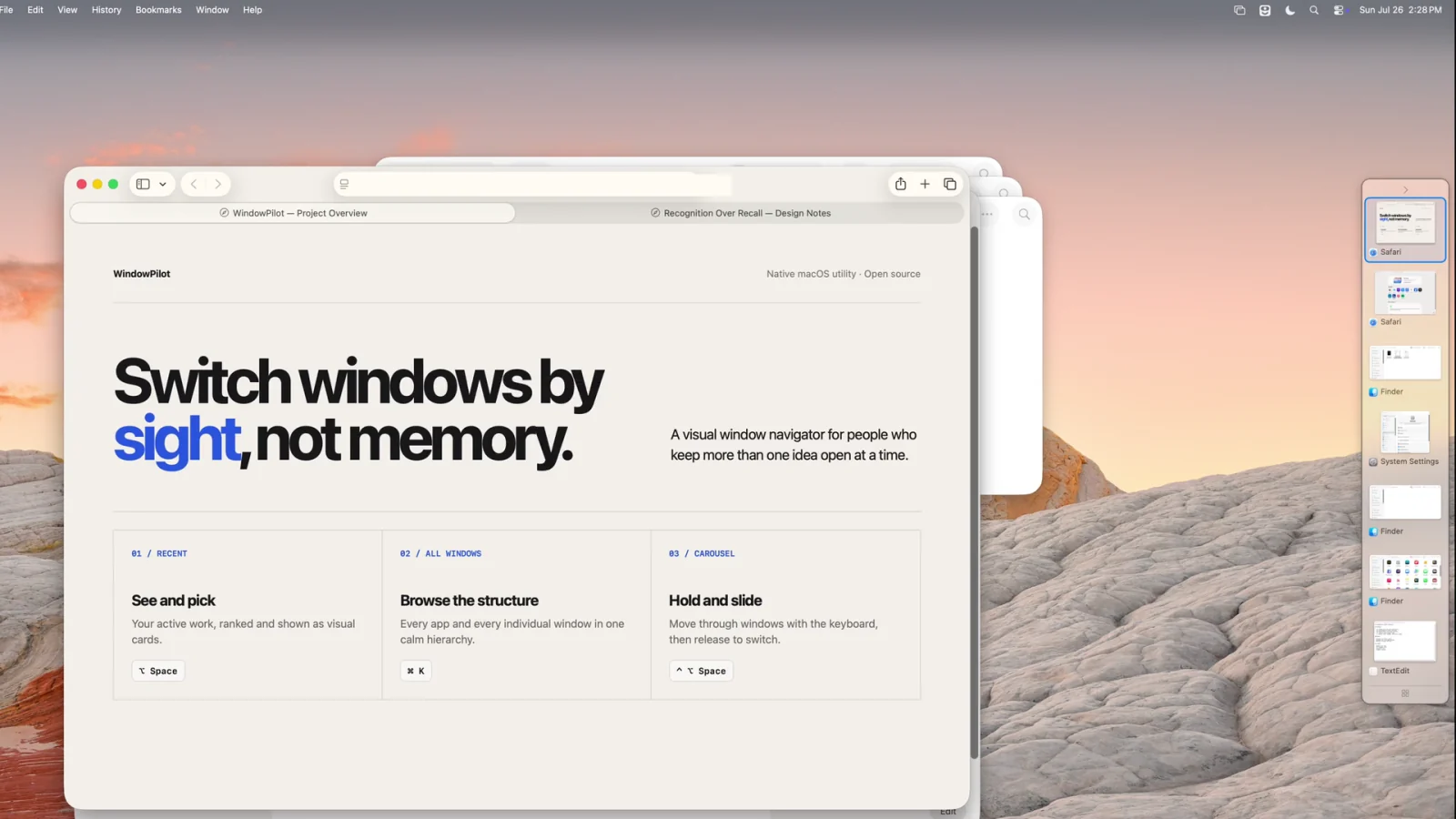
Recency supports quick return to familiar work; when recency is not enough, the App → Windows hierarchy remains predictable. Carousel supports rapid return trips, while Sidebar uses stable spatial position to reduce the cost of finding a window again. Those surfaces share one window-level capability layer; a separate CLI exposes list, search, focus, and capture to scripts, Raycast, and agents.
What it does
Capabilities verified against the release named above, stated only where source and interface evidence agree.
Recent
Ranks window thumbnails by recency and active time, then makes them selectable by click or keyboard.
All Windows
Shows every window in a two-level app-to-window tree with title search, screenshot preview, and window actions.
Carousel
Hold a shortcut to browse a horizontal strip, then release the modifiers to switch for rapid back-and-forth use.
Sidebar
An optional desktop edge keeps recent and pinned windows nearby, with hover previews, click-to-switch, collapse, and context actions.
Evidence and limits
What makes this a product record rather than a speculative concept.
- A signed and notarized DMG, public source, and an MIT license
- Native Swift / AppKit implementation, non-activating panels, and versioned updates
- A 27-second in-product demo covering Recent, All Windows, Carousel, and Sidebar
- A CLI for listing, searching, focusing, and capturing windows from scripts, Raycast, or agents